Software Update: Fall 2025
Well, it’s Fall 2025 somewhere! The very first Ollee Watch software update is finally here.
While this is a relatively small update, it delivers on an early promise and core vision of Ollee Watch: syncing your activity data—steps, temperature, and heart rate—to Google and Apple health platforms.
With this update, your Ollee Watch data can now flow into established health ecosystems such as Google Fit, Apple Health, and supported third-party apps like Withings. This means your data can be viewed, analyzed, and combined with information from other fitness devices or watches you may already use—bringing Ollee Watch into a much broader and more mature health and wellness experience.
To get started, head over to the Google Play Store or iOS App Store and make sure you’re running the latest version of the Ollee Watch app.
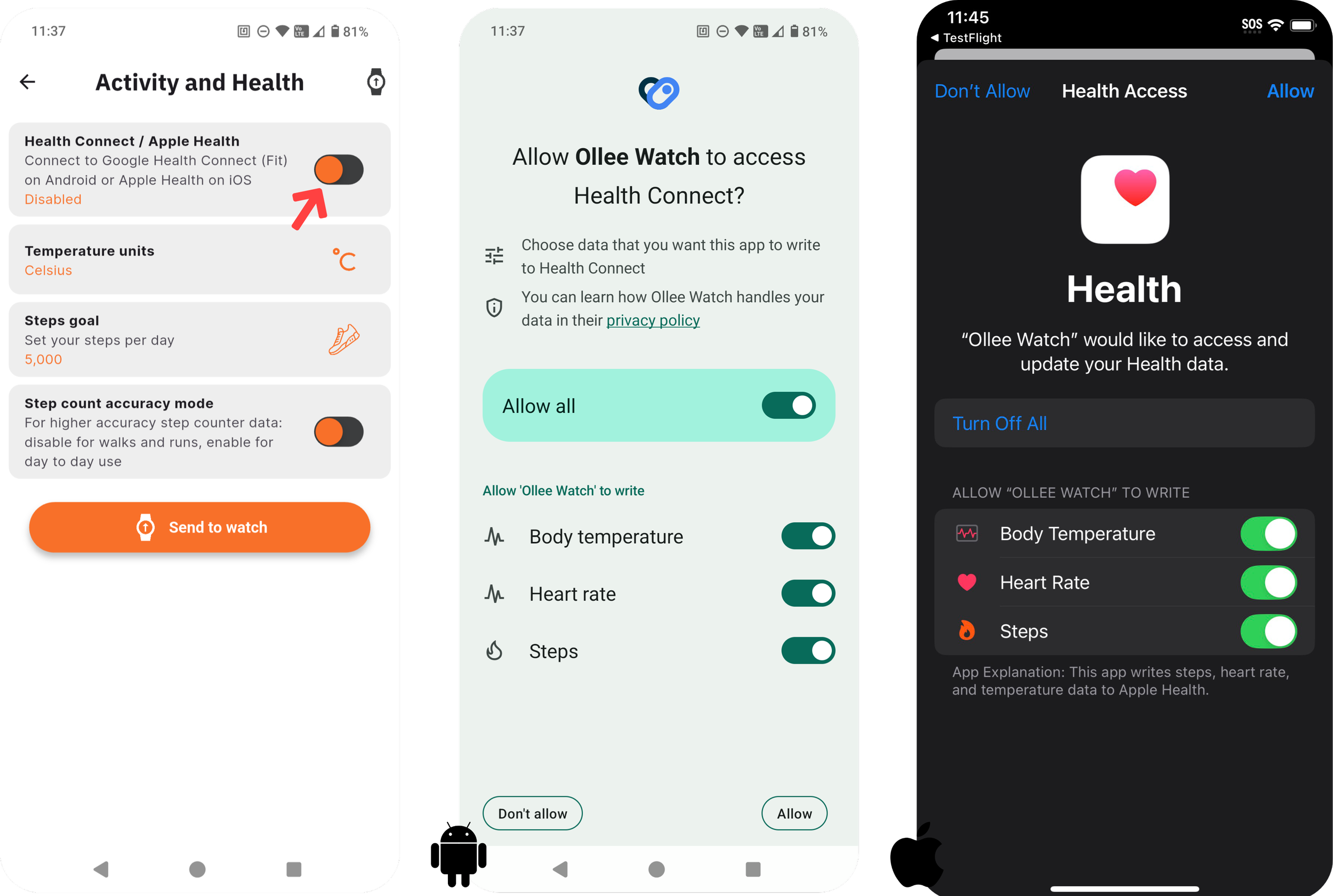
Enabling the Health Services
In the app, navigate to Settings > Activity & Health, where you’ll find the Health Connect / Apple Health option.
Once enabled, Android or iOS will prompt you to grant permissions for accessing activity data. Be sure to allow access to all available metrics so your Ollee Watch data syncs correctly and completely!
Syncing data with connected apps
Once health services are enabled, every sync between your Ollee Watch and the Ollee Watch app will automatically forward your activity data to the underlying Android or iOS health platform. From there, you can connect your favorite apps to view and use your Ollee Watch data alongside information from your other devices.
Note: Activity data is shared only at the time of a watch sync. Previously recorded (historical) data stored in the Ollee Watch app will not be backfilled into the health services.
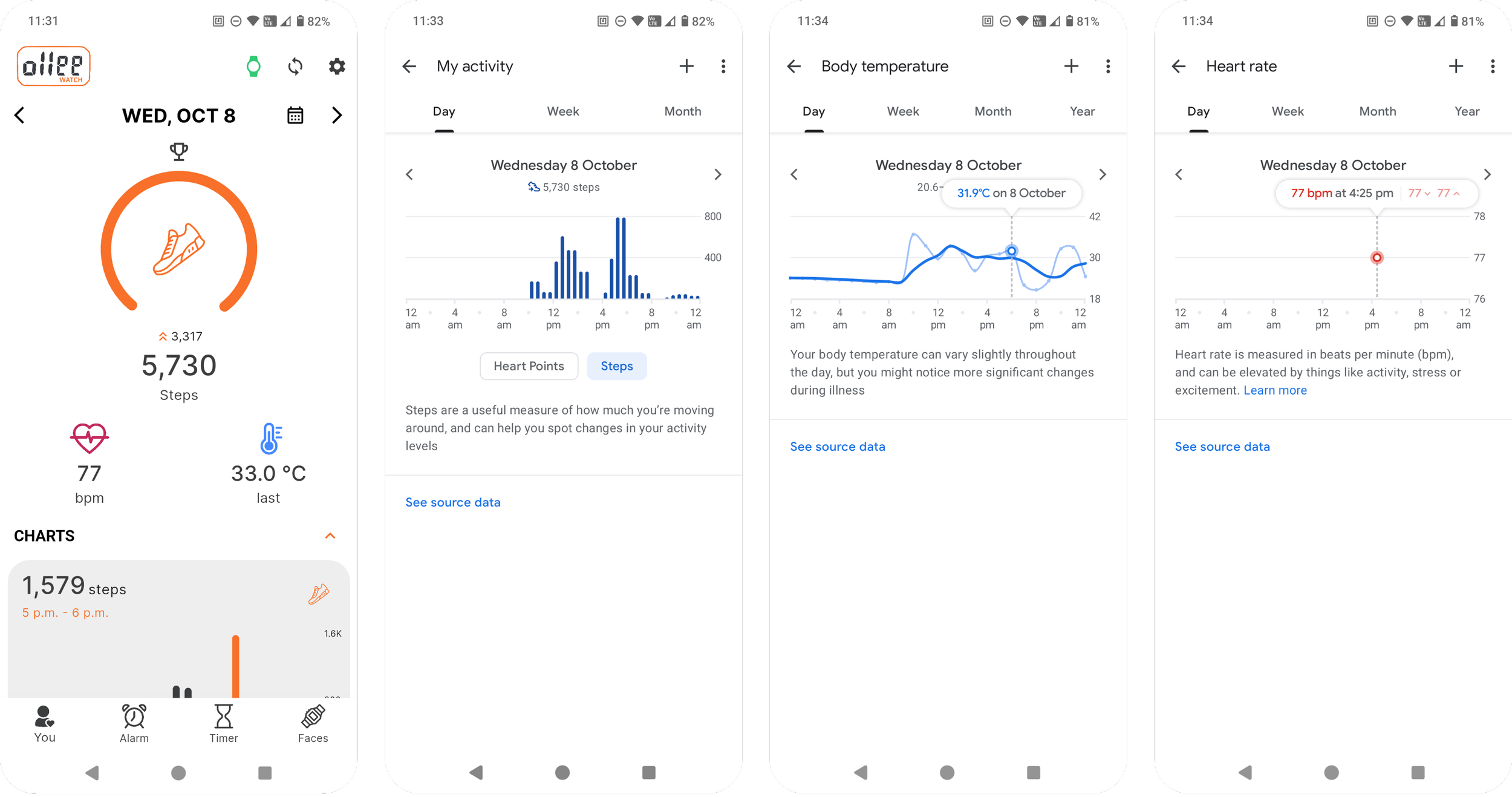
Google Fit updated with Ollee Watch activity data (steps, temperature, heart rate).
No need for an Ollee Watch account!
When health services are enabled, your activity data is relayed directly to Google Health Connect (Android) or Apple Health (iOS).
If you prefer not to store your data with Ollee Watch, you can sign out of—and delete—your Ollee Watch account entirely. In this mode:
Your activity data will continue to sync to the system health service
Activity data will not be visible inside the Ollee Watch app
Events and certain app features will be unavailable
Please note that some features—especially future ones—may require an Ollee Watch account to function. Either way - Ollee Watch doesn’t share or mine any of your data as per our privacy policy - the account is there just to let you track your watch’s activity data, nothing more!
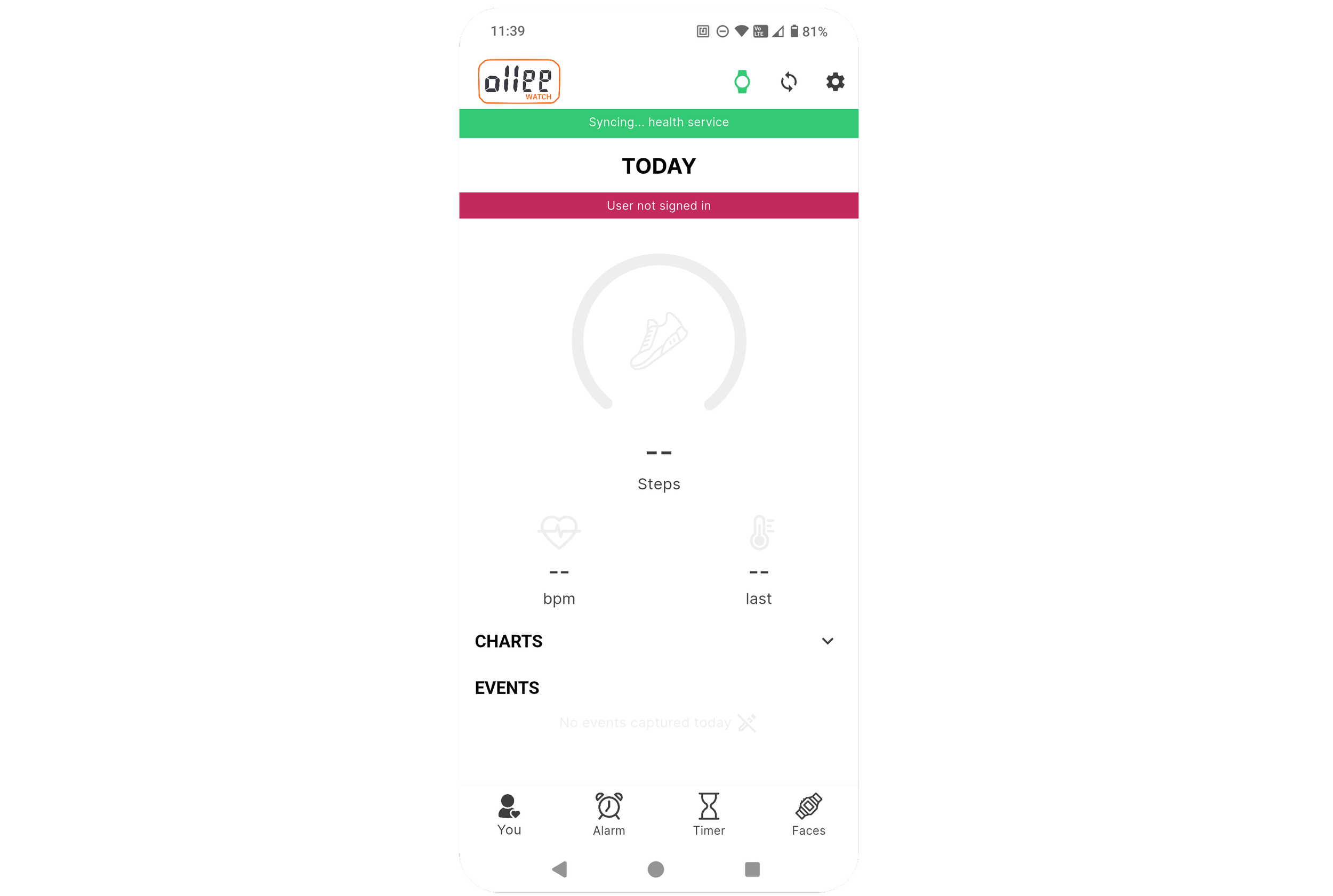
Health services will run without an Ollee Watch account.
Does Strava Work? What About Other Apps?
Short answer: Strava does not currently work with Ollee Watch.
While Strava integrates with Android and iOS health services, our testing showed that it is primarily designed to push data out to those platforms—not pull data in from them. In other words, Strava behaves similarly to Ollee Watch: it exports activity data, but it doesn’t import activity data from Health Connect or Apple Health. Some fitness trackers integrate directly with the Strava app itself, which Ollee Watch does not currently support. Maybe one day…
We’ve tested several of the popular apps mentioned earlier, and we’ll continue to rely on the community to help validate others. If you discover an app that works—or doesn’t—please share your findings on the Ollee Watch subreddit or Discord (links at the bottom of the page).
A Few More Additions
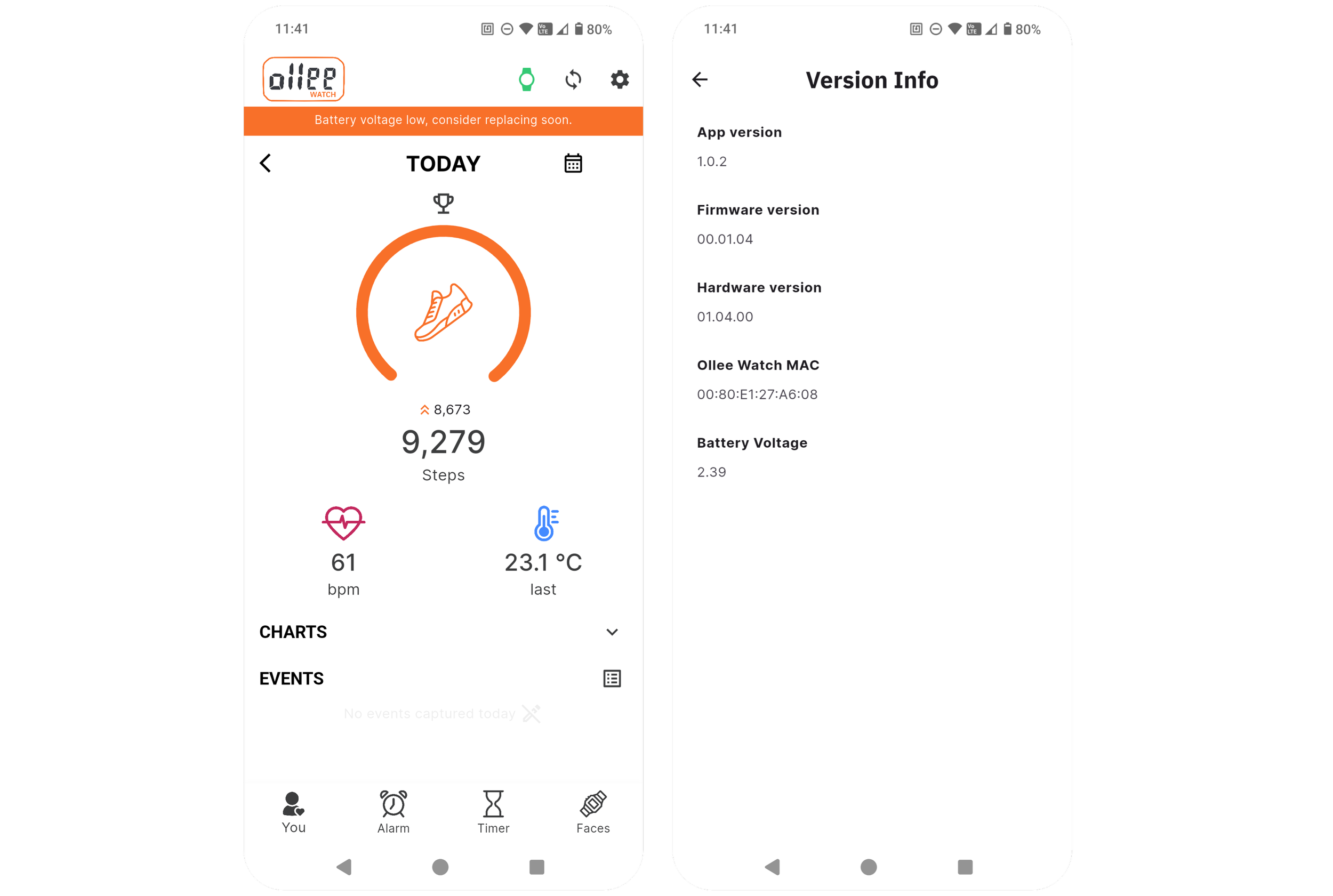
This update also introduces a low-battery alert in the Ollee Watch app. When your watch battery drops to 2.4 V, an orange warning bar will appear, letting you know it’s time to plan a battery replacement. At this level, you typically have around 5–10% battery life remaining, which should translate to roughly a couple more weeks of use under normal conditions.
At very low voltages, you may notice some minor or unexpected behavior—especially with LED brightness and color accuracy. This is normal, as the RGB LED doesn’t perform reliably when the battery voltage gets too low. You can always check the most recent battery voltage reading in Settings > Version Info within the Ollee Watch app.
That’s about it! There were a few minor UI tweaks as well in the app, but nothing worth mentioning in too much detail. It’s been a real blast working on the project this year and we’ll continue to make updates to the platform in the new year. Happy holidays everyone!
-Gregor
